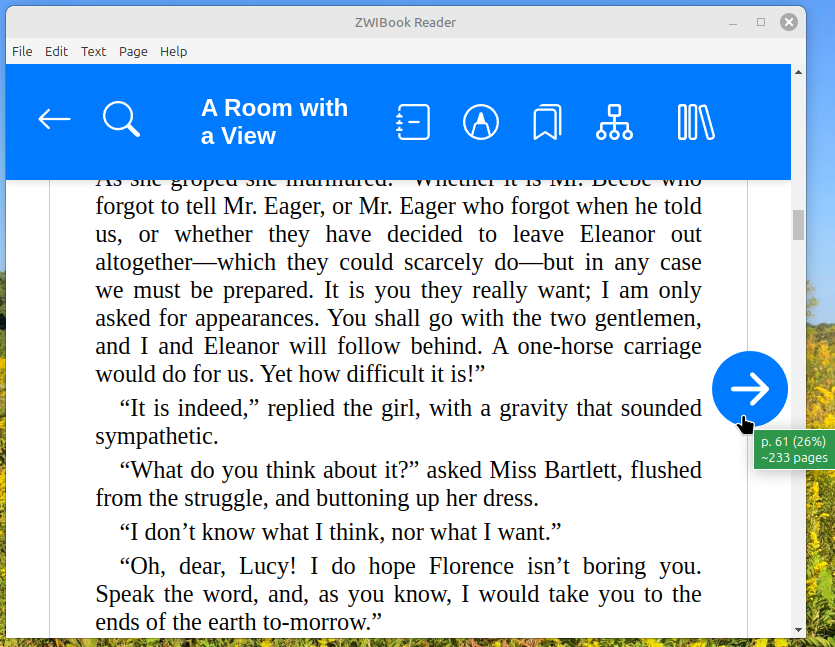
I scratched a technical itch of mine just now in ZWIBook. Formerly, if you hovered over the “previous” and “next” page buttons, you’d get only the percentage (where you are in the text). Now you get a more satisfying page number (as well as a percentage).
This will be included in all new copies of ZWIBook shipped (after a few drives, already copied).